Which cameras work, and how.
Peekaboo only connects through doors camera companies have opened to outside apps, or through files and feeds you send yourself. Here is exactly where each brand stands.
Nothing connects today. A Ring connection is in development, and a way to send pictures from other cameras isn’t open yet.
Camera by camera.
| Camera | Status | How it connects |
|---|---|---|
| RingDoorbells and cameras | In development | A Ring connection is in development, and it isn’t live yet. It’s built around Ring’s own sign-in screen: Peekaboo receives motion events and still frames, never your password. |
| Any cameraAny brand, any model | Not open yet | Upload a clip or a photo. Peekaboo reads it and answers the same questions a routine would: what’s there, is the door open, is the package still out. The upload tool opens to everyone when it’s ready. |
| Home Assistant, Frigate, or anything that can send a pictureAny camera they can reach | Not open yet | A private push URL. Point an automation at it to send a snapshot when something moves, or on a schedule for look-checks. Anything that can send a JPEG or PNG under 1.5 MB to a web address can use it. Setup guide for Home Assistant and Frigate. |
| UniFi ProtectUbiquiti | Planned | Planned through Home Assistant, which hasn’t run on a real setup yet. No direct connection. |
| Google Nest, Wyze, eufy, Blink, Arlo | No connector yet | Peekaboo has no connector for these yet, and we won’t log in as you to get around that. You can upload clips and photos from any of them once the upload tool opens. |
Ring, Nest, Wyze, eufy, Blink, Arlo, UniFi and the other names here belong to their owners. Peekaboo isn’t affiliated with any of them.
Ring: what a quiet afternoon would say
Once the Ring connection works, Peekaboo will only get a picture from Ring when something moves, and it has no way yet to ask for one on a schedule.
So on Ring, a check like “dog walker by 2 PM” on a quiet afternoon would come back as “couldn’t confirm”, not “not seen”.
Uploads: one clip at a time
The upload tool isn’t open yet. It reads what you give it, one clip at a time. Routines need frames that arrive on their own.
Push URL: what has run, and what Peekaboo can know
We’ve tested the sending with curl and a stand in for Frigate; it hasn’t run on a real Home Assistant or Frigate yet.
Peekaboo only knows what your setup sends. It can’t tell right away when a push camera or your bridge has stopped. Once it has learned the camera’s usual rhythm, hours of silence while a routine needs that camera show up as gone quiet.
Inside a routine’s window, if too few pictures arrive you get couldn’t confirm, with the count, and a not seen means none of the pictures it read showed it, not that it could see the whole time.
What makes routines work well.
Peekaboo can only report what a camera can see. A few things make a big difference.
-
Front Door
Example photo
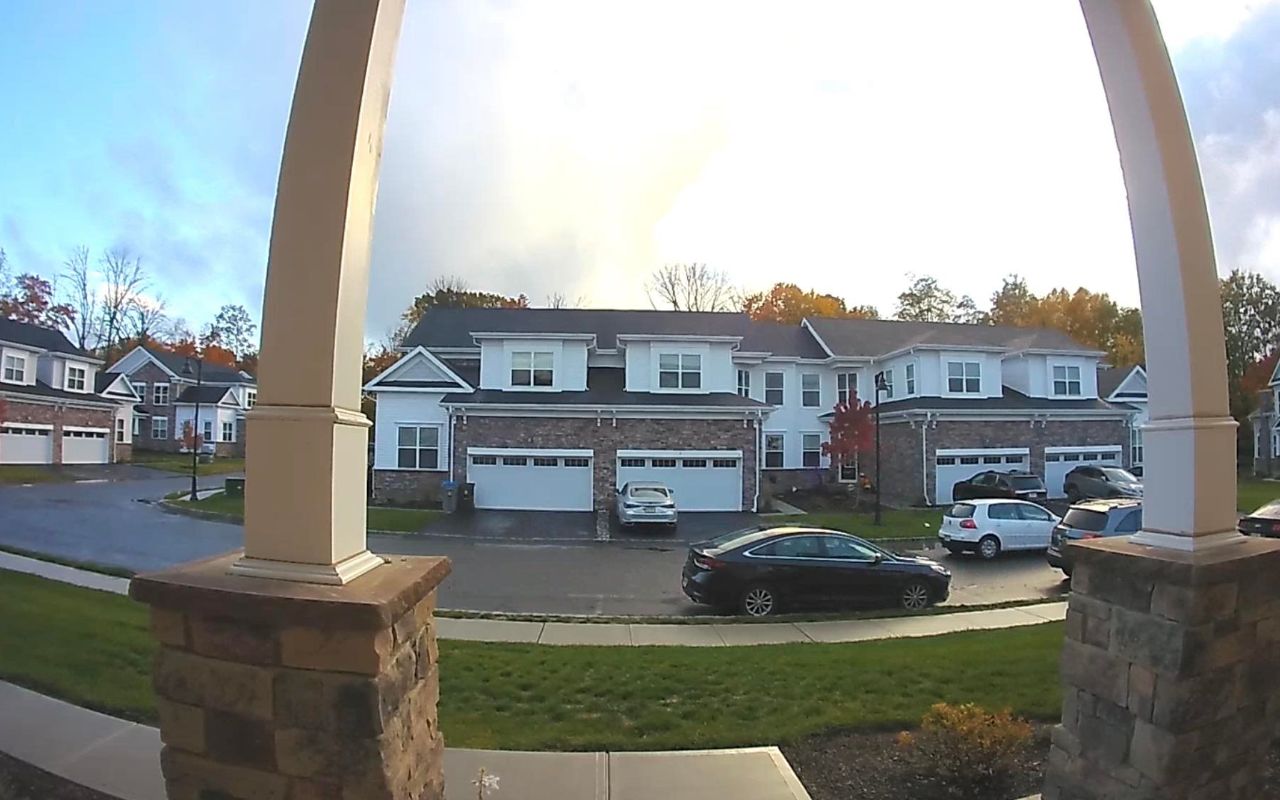
Point it at the thing. A routine about the front door needs a camera that sees the front door. This doorbell sees the street, not the step. Bins at the curb need a view of the curb. Peekaboo can’t tell when something blocks a view while the camera stays online, so check the view yourself.
-
Garage
Example photo
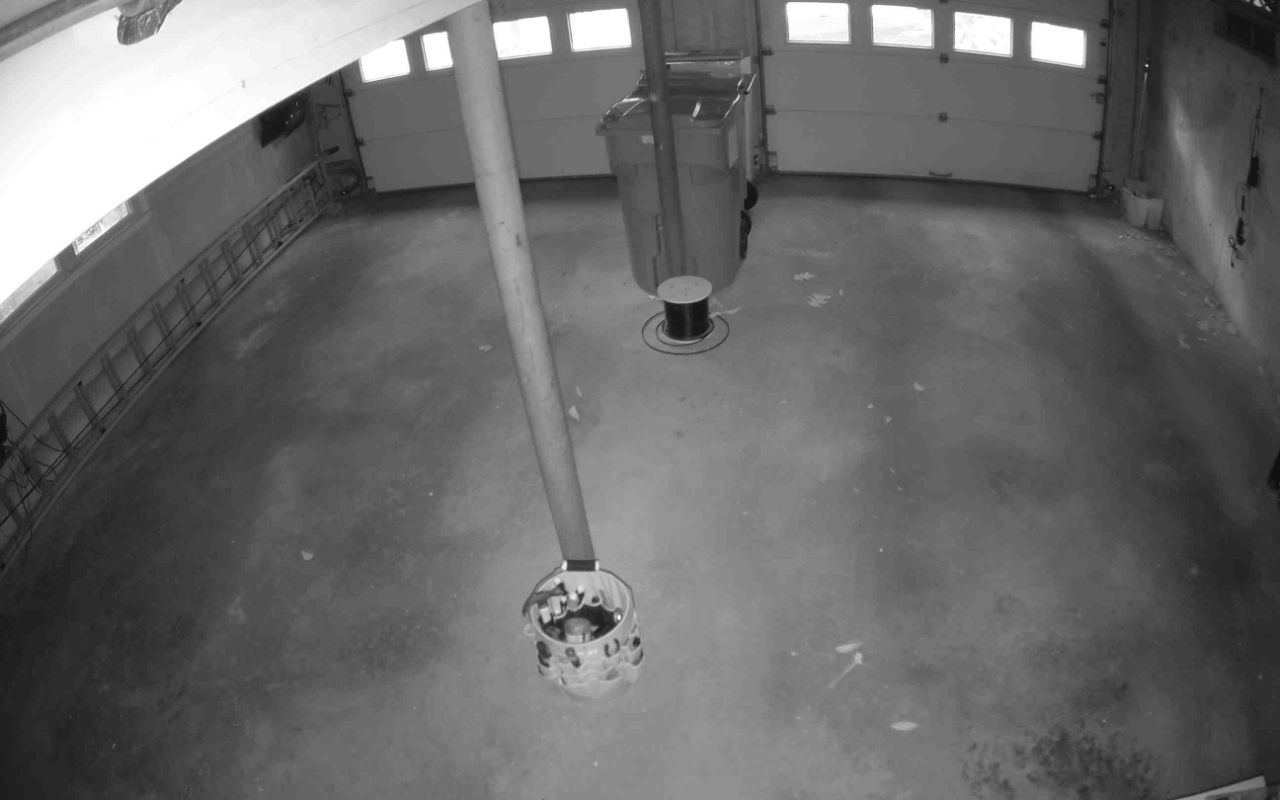
Pictures on a schedule help. Battery cameras usually only record when something moves. At 10 PM there may be no recent frame of the garage, and Peekaboo will say “no fresh image” rather than answer from an old one. To say something wasn’t seen by a deadline it needs pictures no more than 30 minutes apart, so a camera that sends one every 10 to 15 minutes works best.
-
Side Gate
Example photo
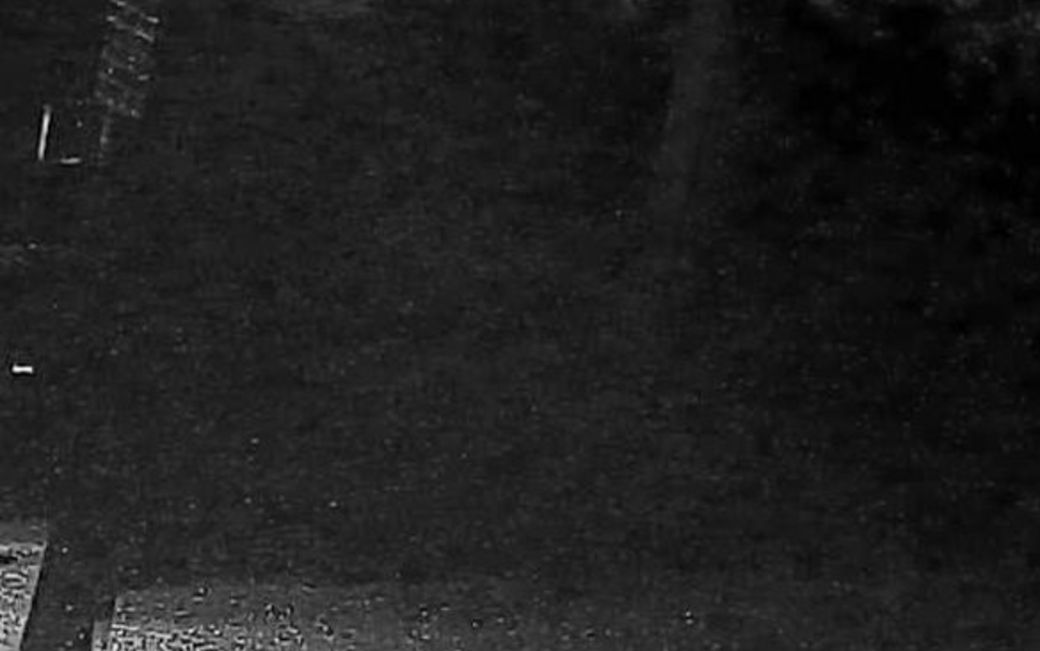
Light at night. Infrared works for doors and shapes, as in the garage picture. Very dark or washed out frames, like this one, come back as “can’t tell”. A porch light helps more than any setting.
When a camera can’t see what one of your routines needs, at the time it needs it, Peekaboo says so: offline, gone quiet, or too dark to read.
That’s part of every routine, not a separate camera monitor. A camera on a push URL can’t report that it’s offline, so it shows up only as gone quiet, once Peekaboo has learned its rhythm.
End to end encrypted cameras. If you’ve turned on end to end encryption for a camera, its video can’t be read by any outside app, including Peekaboo. That camera will show as “couldn’t see” in alerts and briefs. That’s expected, and your choice to make.
We never ask for your camera password.
-
Peekaboo doesn’t log in as you.
Some apps get at cameras by logging in as you, with your username and password. Peekaboo doesn’t, and never will.
-
You decide what it sees.
The Ring connection in development is built around Ring’s own sign-in screen, and you’ll be able to disconnect Peekaboo at any time. With push URLs, and uploads once they open, you decide exactly which frames Peekaboo sees.
-
If something asks for it, it isn’t us.
If a page or a message ever asks you to type a camera password into Peekaboo, it isn’t us.
Example photo
Join the early list.
Peekaboo isn’t open yet, and nothing can be bought. Join the early list and we’ll write when you can try it.
We’ll write for that, and for nothing else. Joining the list costs nothing and commits you to nothing.