What Peekaboo will and won’t do.
Cameras point at homes, families and neighbors. These rules decide what Peekaboo is allowed to say about them. They’re built into the product, not settings you can switch off.
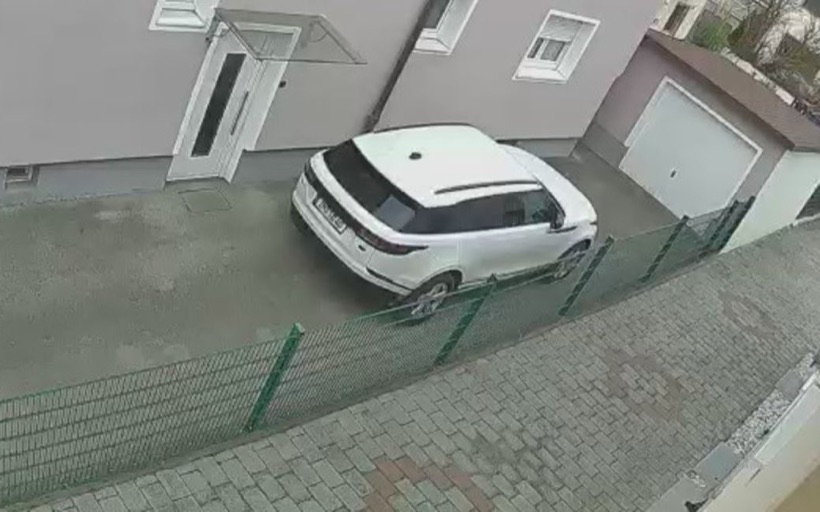
Driveway
Example photo
PeekabooHome
A vehicle on the Driveway camera
Seen at 1:28 PM, during quiet hours. A white car.
It says what it saw, never who.
-
No face recognition, no identities.
Peekaboo describes roles and objects, never who someone is: “a courier in a brown uniform”, “a worker in a high visibility vest”, “a person in a dark jacket”, “a white pickup”.
There is no face recognition, no face matching, no license plate reading, no watchlists, and no lookups against any outside database. A wording check removes plate numbers, house numbers and names on badges or mail from descriptions in the forms it knows, and it can miss one. Peekaboo never follows a person from one account to another.
-
No audio.
Peekaboo never asks for sound, even where a camera offers it. Routines work from still frames and event times only.
-
No verdicts.
Peekaboo says what it saw, not what it thinks it means. It will never call someone an intruder, a thief or a burglar, call a person “suspicious”, or call an object a weapon. A long object in someone’s hand is “a long object”.
A wording check runs on every description and removes these words before anything is stored or sent. Counts are counts: “2 packages at the front door”.
Honest about what it couldn’t see.
When Peekaboo judges a frame too dark or unusable, it says “can’t tell” instead of answering. It can still misread a frame it thinks it can read, so check the pictures.
A deadline is only reported as not seen when enough pictures of the spot were read to say so; otherwise it’s “couldn’t confirm”, with the reason: offline, too dark, encrypted, no fresh image, or too few pictures.
Every not seen alert says how many pictures were read and carries the last one, every couldn’t confirm alert says why, and every brief lists what couldn’t be seen, so silence never pretends to be good news.
Driveway
Example photo
How long we keep things.
| What | Free | Paid plans |
|---|---|---|
| Camera frames Peekaboo fetched or you sent | 7 days | 30 days |
| Text notes about what was seen, alerts and briefs | 7 days | 90 days |
| Watch alerts, so a trial’s receipt can cover all of it | 14 days | 90 days |
| Frames cited on a proof page | Until that page expires, at most 90 days | |
After that, they’re deleted. Peekaboo doesn’t keep video; it fetches still frames when a camera reports a person, a vehicle, a package or a doorbell press, and when a routine, Watch or a check needs to look. Everything we keep, and for how long.
Where it stops.
-
A heads-up, not an alarm.
Peekaboo gives heads-ups and briefs. It is not an alarm, not a monitoring service, and not an emergency service. It doesn’t call the police, doesn’t send anyone, and can’t promise to prevent anything.
Family routines can tell you a door wasn’t seen opening, with how many pictures were read. They can’t tell you someone is all right.
-
Never your camera password.
Peekaboo only connects through official sign-in screens camera companies provide, or through clips, photos and push URLs you send yourself. It never asks for your camera account password. More on cameras.
-
Other people’s homes, with their OK.
Family is for a parent who has agreed to it. Host is for exterior cameras you’ve disclosed to guests, never cameras inside a rental. If someone lives there, they should know what Peekaboo checks.
In an emergency, call 911.
Example photo
Join the early list.
Peekaboo isn’t open yet, and nothing can be bought. Join the early list and we’ll write when you can try it.
We’ll write for that, and for nothing else. Joining the list costs nothing and commits you to nothing.